

OLISTO
Redesigning Olisto Studio for web
I was tasked with redesigning Studio to improve the creation, distribution and track performance of automations — a project that spanned both in-app and embeddable projects. The updated design allows developers and product teams to craft user-friendly automations that their clients can install or activate without needing coding skills.
Olisto Studio helps companies create, distribute, and track the performance of automations. The use case I'm presenting here focused primarily on enhancing the automation editor. Additionally, I added a "New Features" section, where you can find key updates related to distribution and performance tracking.
Concepts
What is an automation? You can see it as a set of rules where certain conditions trigger multiple actions, allowing for complex workflows. For example, when a user activates the house alarm system (condition), the system can automatically turn off the lights and adjust the thermostat to "Away" mode (multiple actions).
We offer a variety of lights and thermostats on our platform, we call them connectors. A connector is an integration with a product or service, such as Philips Hue or Google Nest. Each connector exposes a variety of units, which represent the things that can be interacted with, such as lights or thermostat.
One of the powerful concepts behind our work, that makes the editor and the redesign more complex, is that our customers aren't building automations for themselves; they're creating automation templates that any of their end users can easily install. This is a key aspect of our platform, and the Studio serves as the essential tool for our customers to design and distribute these templates effectively.
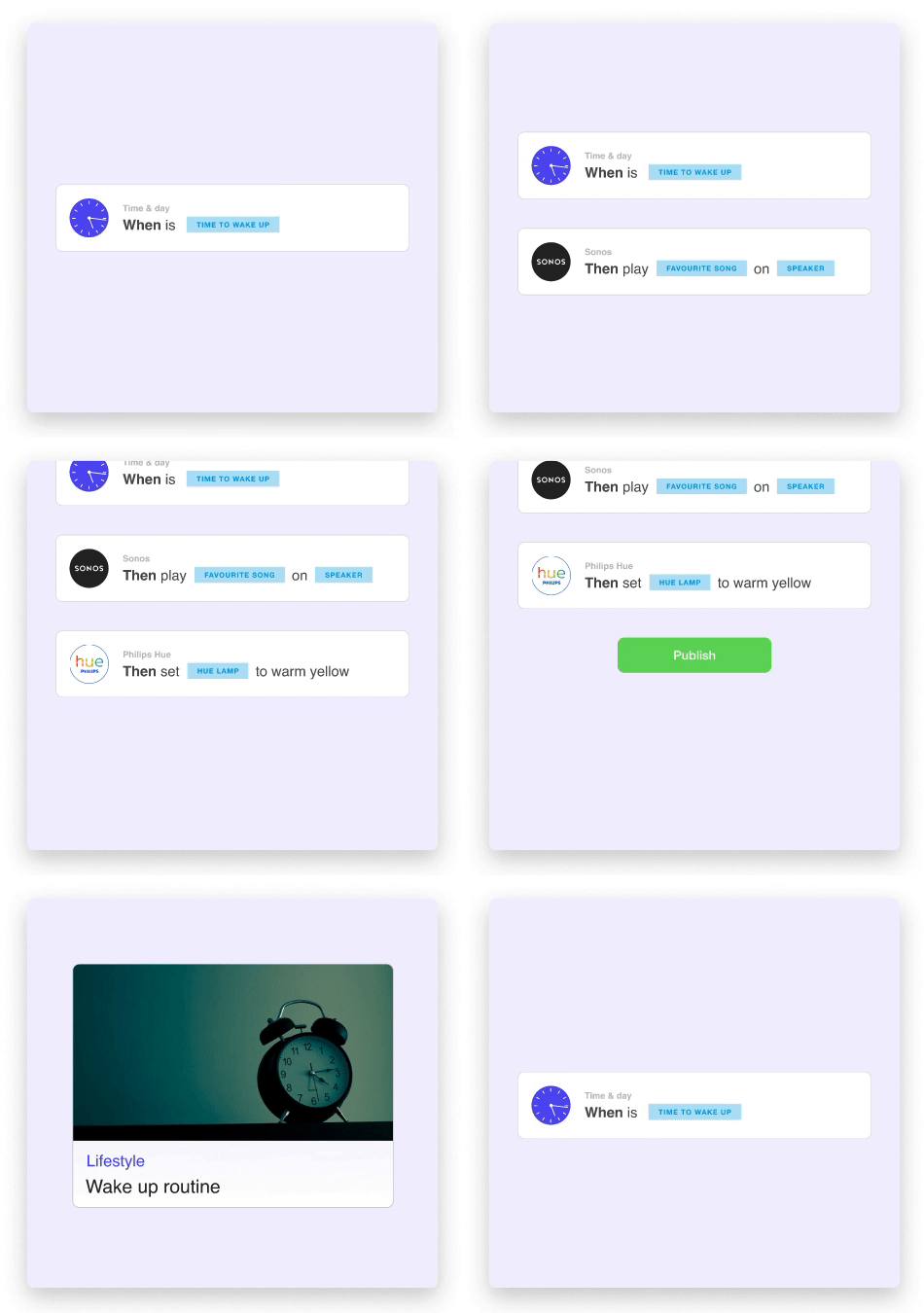
Example of an automation
Research
The research phase was crucial to understand the current pain points and opportunities for improvement. We conducted interviews with customers, stakeholders, and internal teams to gather insights and feedback. We also conducted usability tests with a primary focus on the automation editor.

Automation editor usability test

Affinity diagram
New features
In this section, I will highlight only the most significant new features we've introduced during the redesign.
Analytics
One of the main aspects highlighted by the research phase was the need to understand how the automations were performing.
Since these automations are integrated into our clients' company portals or apps for their end users, we are unable to track events like views and clicks. To address this, we decided to develop an API for event reporting.
We were already tracking when an automation is installed, uninstalled, and executed. Now, with additional events reported via the API, we can provide valuable insights, including churn rate, event funnels, and user engagement metrics, primarily in time series format.

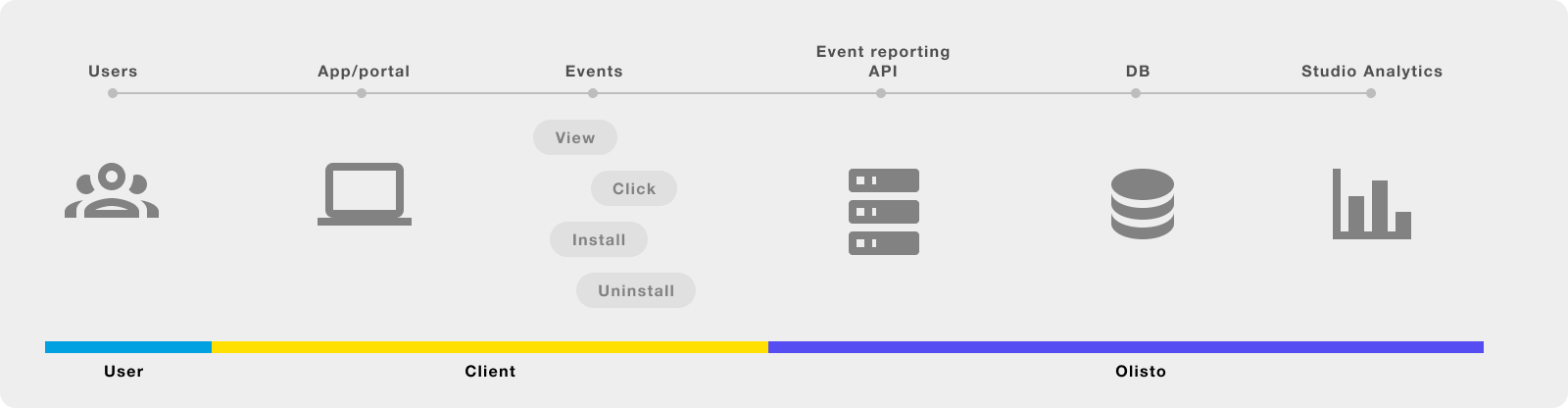
Translations
As businesses expand globally, multilingual automations are crucial for improving user experience and broadening reach. A translation feature will allow companies to tailor automations for diverse audiences, ensuring end users can engage in their preferred language.
- Increase Adoption Rates: Providing localized automations can lead to higher engagement and adoption among end users, as they feel more comfortable using tools that speak their language.
- Enhance Customer Satisfaction: By addressing language preferences, companies can foster better relationships with their clients, leading to increased satisfaction and loyalty.
- Support Global Expansion: As companies look to enter new markets, having the ability to quickly translate and adapt automations will facilitate smoother rollouts and reduce time-to-market.

An automation with translations completion status for each language
Storybook, our design library
During the redesign, the frontend team recognized the need for a better approach to managing our components. We decided it was the perfect opportunity to adopt Storybook. While this initially caused some delays, it ultimately enabled us to streamline development, foster collaboration, and significantly improve the quality and consistency of our components. Furthermore we decided to host it on a machine, now everyone in the company could access it, becoming our source of truth for UI design and development.

Olisto storybook
Conclusions
After the launch of Studio, KPN, one of the Netherlands' leading telecom operators, chose us to develop an innovative portal. They leveraged Studio to create a variety of pre-built automations, which were made accessible to the public through a user-friendly "Store" where users could easily activate them. Throughout this process, I collaborated closely with the KPN team to integrate Studio, as well as to design and conceptualize their "Store."
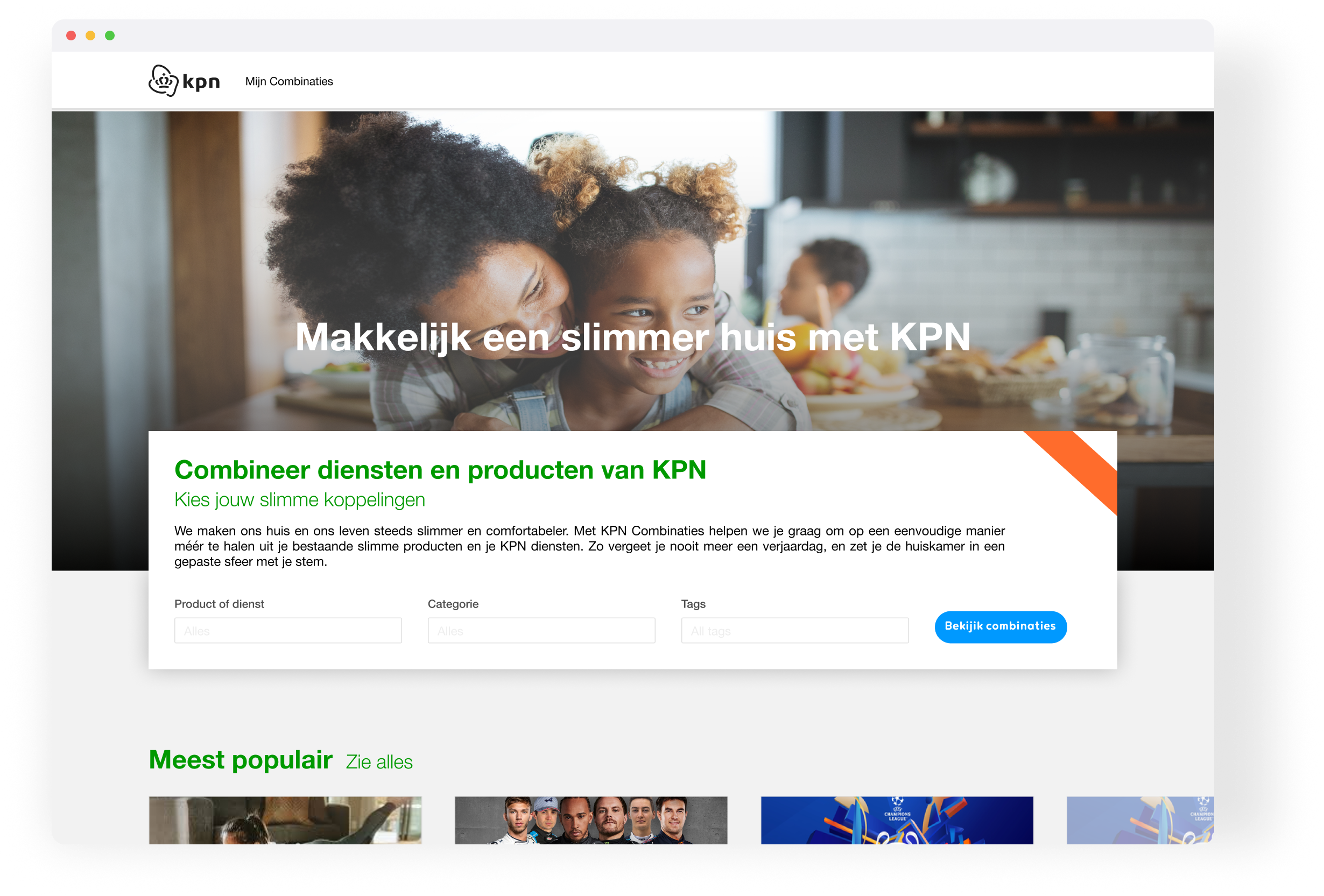
Mijn Combinaties KPN store
Here are a few KPN use cases mentioned in their blog post: